Observability
Hankweave produces extraordinarily detailed execution logs — event journals, per-codon transcripts, structured state — but this data lives as flat files on disk:
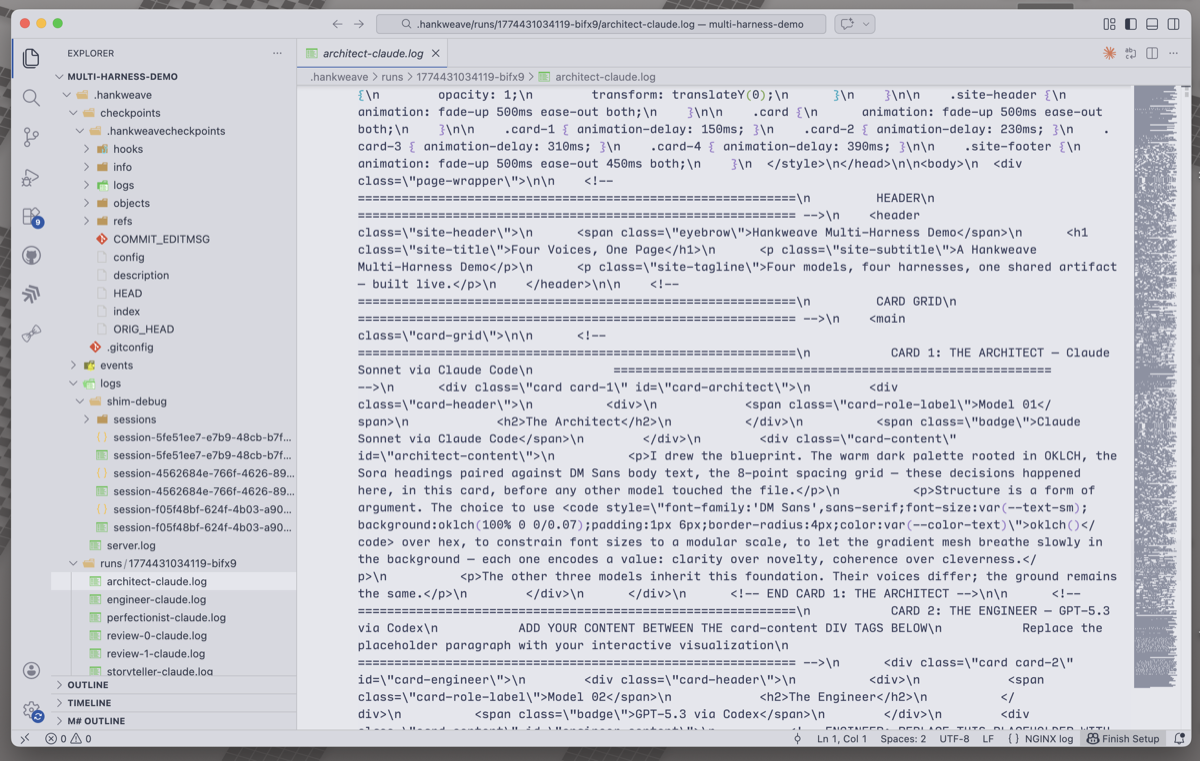
hankweave-trace transforms it into interactive trace trees on Braintrust and Langfuse , giving you click-to-trace debugging, cost visualization, tool analytics, and team-wide dashboards:
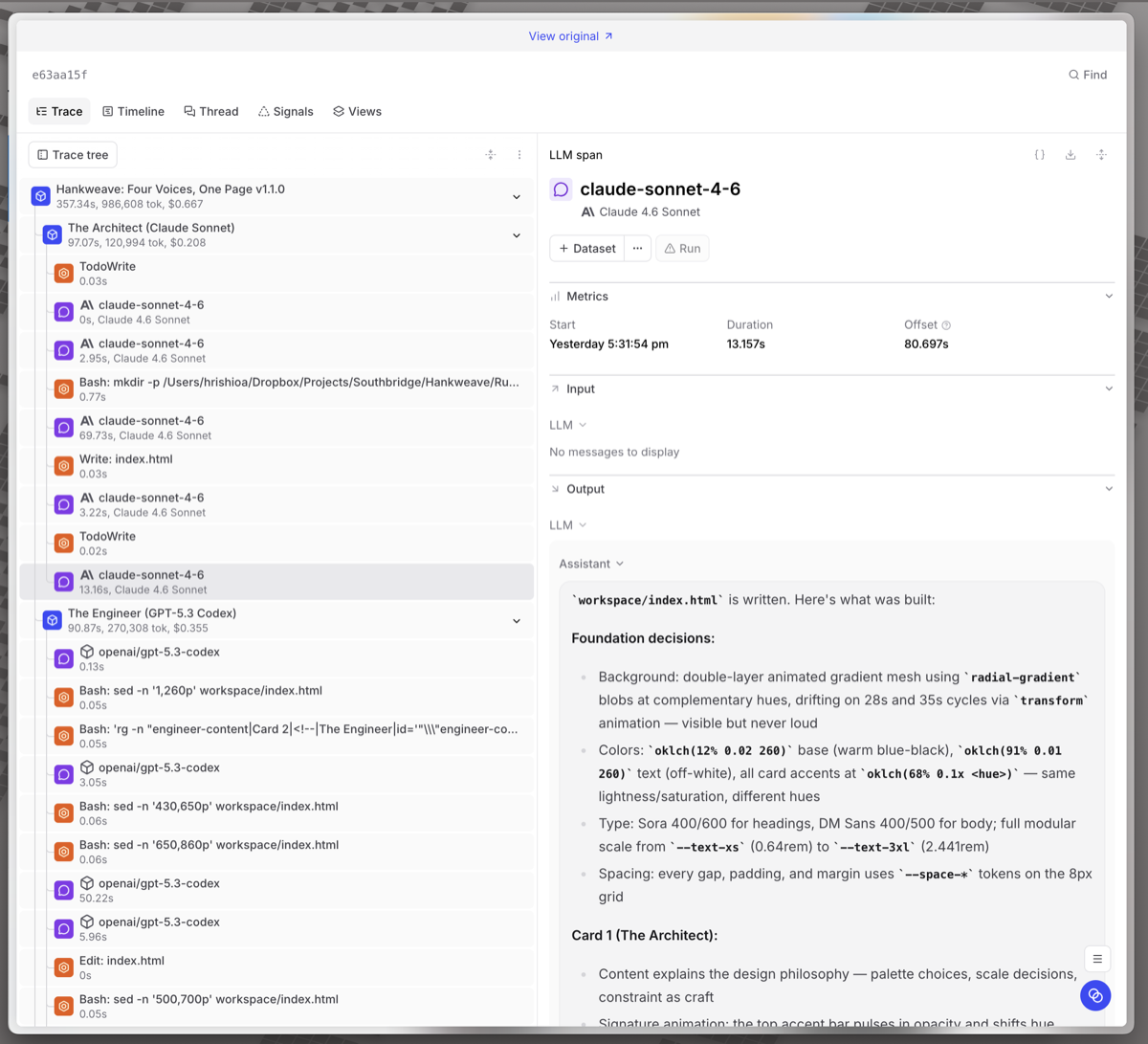
hankweave-trace is a
standalone package that works with any Hankweave execution directory. It
uploads to Braintrust, Langfuse, or both — your choice.
Quick Start
Install
npx hankweave-trace upload ./my-execution-dirSet credentials
# For Braintrust
export HANKWEAVE_TRACE_BRAINTRUST_API_KEY=sk-...

# For Langfuse (self-hosted or cloud)
export HANKWEAVE_TRACE_LANGFUSE_PUBLIC_KEY=pk-...
export HANKWEAVE_TRACE_LANGFUSE_SECRET_KEY=sk-...
export HANKWEAVE_TRACE_LANGFUSE_BASE_URL=http://your-langfuse:3000
Upload a completed run
npx hankweave-trace upload ./my-execution-dirOr watch a live execution
# In one terminal: run your hank
hankweave hank.json data/

# In another terminal: watch and stream traces
npx hankweave-trace watch ./my-execution-dir
Watch mode prints clickable URLs to your traces so you can follow along in the browser as codons execute.
Three Modes
Upload Mode
Post-hoc upload of a completed (or failed) execution directory. Reads state.json, events.jsonl, and all per-codon log files, builds the trace tree, and uploads in batches.
npx hankweave-trace upload <execution-dir> [flags]| Flag | Description |
|---|---|
--braintrust | Upload to Braintrust only |
--langfuse | Upload to Langfuse only |
--project <name> | Braintrust project name (default: "Hankweave") |
--dry-run | Output spans as JSON without uploading |
--latest-only | Upload only the latest run (default: all runs) |
--redact | Strip content, preserve structure and metrics |
--force | Re-upload even if dedup marker exists |
--tags <a,b,c> | Extra tags on all traces |
Watch Mode
Real-time monitoring. Streams spans to platforms as the execution progresses, then does a final complete upload when the run finishes.
npx hankweave-trace watch <execution-dir> [flags]Watch mode:
- Waits for the execution directory to appear (start it before or after the hank)
- Creates spans in real-time as codons start, LLM calls complete, and tools run
- Prints live trace URLs you can open in your browser
- Detects run completion and does a final complete upload
- Exits automatically when the hank finishes
Generate Mode
Generate the provider-specific JSON payload without uploading. No API credentials required — useful for inspecting what would be sent, piping to jq, or saving payloads for later.
npx hankweave-trace generate <execution-dir> --braintrust [flags]
npx hankweave-trace generate <execution-dir> --langfuse   [flags]
Stdout is pure JSON (progress goes to stderr), so you can pipe it directly:
npx hankweave-trace generate ./exec-dir --braintrust | jq length
npx hankweave-trace generate ./exec-dir --langfuse > payload.json
One of --braintrust or --langfuse is required — generate produces the format for a specific platform.
The Trace Tree
Each hank run becomes one trace with a hierarchical span tree:
Hankweave: "My Pipeline" v1.0.0           ← root (hank run)
│
├── Codon: Analyze Data                    ← codon span
│   ├── Rig Setup [3 commands, 1.2s]      ← rig setup
│   ├── Sentinel: quality-observer         ← sentinel observations
│   ├── claude-sonnet-4-6 [call 1]        ← LLM call (tokens here)
│   ├── Read: data.csv                    ← tool call
│   ├── claude-sonnet-4-6 [call 2]        ← LLM call
│   └── Write: analysis.md               ← tool call
│
├── Loop: refine [3 iterations]           ← loop grouping
│   ├── Codon: Review #0                  ← iteration codon
│   │   └── ...
│   └── Codon: Review #2
│       └── ...
│
└── Codon: Final Report                   ← codon span
What gets its own span
| Hankweave concept | Span type | Details |
|---|---|---|
| Hank run | Root | Total cost, duration, status, tags |
| Codon | Task/Agent | Per-codon cost, model, harness info |
| Loop | Grouping | Iteration count, aggregate cost |
| LLM call | LLM/Generation | Tokens, model, thinking blocks |
| Tool call | Tool | Input, output, errors, duration |
| Rig setup | Function | Command count, duration, failures |
| Sentinel | Evaluator | Trigger count, observations, cost |
Configuration
Environment Variables
| Variable | Purpose |
|---|---|
HANKWEAVE_TRACE_BRAINTRUST_API_KEY | Braintrust API key. Presence enables BT upload. |
HANKWEAVE_TRACE_BRAINTRUST_PROJECT | BT project name (default: "Hankweave"). Auto-created if it doesn’t exist. |
HANKWEAVE_TRACE_LANGFUSE_PUBLIC_KEY | Langfuse public key. |
HANKWEAVE_TRACE_LANGFUSE_SECRET_KEY | Langfuse secret key. Both keys present enables LF upload. |
HANKWEAVE_TRACE_LANGFUSE_BASE_URL | Langfuse server URL (default: https://cloud.langfuse.com). |
HANKWEAVE_TRACE_TAGS | Comma-separated extra tags on all traces. |
HANKWEAVE_TRACE_REDACT | Set to 1 to strip content by default. |
Why the HANKWEAVE_TRACE_ prefix? You may have BRAINTRUST_API_KEY or
LANGFUSE_* set for other applications. The prefix ensures hankweave-trace
only uploads when you explicitly opt in.
Config File
You can also configure credentials via a JSON config file. hankweave-trace searches for .hankweave-trace.json in the current directory, then ~/.config/hankweave-trace/config.json globally.
{
  "braintrust": {
    "apiKey": "$BRAINTRUST_API_KEY",
    "project": "My Hanks"
  },
  "langfuse": {
    "publicKey": "$LANGFUSE_PUBLIC_KEY",
    "secretKey": "$LANGFUSE_SECRET_KEY",
    "baseUrl": "http://your-langfuse:3000"
  },
  "tags": ["production"],
  "redact": false
}
Values starting with $ are resolved as environment variables — commit the file safely, keep secrets in your shell profile.
The resolution order is: CLI flags > env vars > config file > defaults. If both platforms are configured, both get the trace.
Both platforms at once
If credentials are set for both platforms, both get the trace. Each upload is independent — a Braintrust failure doesn’t block Langfuse, and vice versa.
Token and Cost Accuracy
hankweave-trace handles the cache-aware token mapping that both platforms get wrong by default:
- Braintrust computes its own “Estimated cost” from tokens. hankweave-trace puts the authoritative Hankweave-computed cost in
metadata.hankweaveCost. - Langfuse overestimates costs by ~5x for Anthropic models with prompt caching. hankweave-trace overrides the cost on every generation via Langfuse’s
totalCostfield so the dashboard shows accurate numbers.
Token placement rules
For Claude SDK codons (Anthropic models): tokens go on individual LLM call spans. No tokens on parent spans — both platforms sum from children, so putting tokens on parents causes double-counting.
For shim harnesses (Codex, Gemini, Pi, OpenCode): per-message token breakdown isn’t available. Tokens go on the codon span itself, and child LLM spans show zero tokens.
Redaction Mode
When --redact is set, hankweave-trace strips all natural-language content:
| What | Normal | Redacted |
|---|---|---|
| Prompts | Full text | [redacted] |
| LLM output | Full response | [redacted] |
| Tool input/output | Full content | [redacted] |
| Thinking blocks | Full reasoning | [redacted] |
| Sentinel observations | Full text | [redacted] |
Always preserved: Span tree structure, span names, all metrics (tokens, cost, duration), errors, status, tags, model names.
Error Visibility
Failed runs, codons, tool errors, and rig failures all show up in both platforms’ error views:
| Condition | How it appears |
|---|---|
| Run failed/crashed | Error on root span |
| Codon failed | Error on codon span with failure reason |
| Tool returned error | Error on tool span |
| Rig setup failed | Error on rig span |
| Sentinel error-unloaded | Error on sentinel span |
In Langfuse, level: "ERROR" is set on the trace itself for failed runs, so the built-in Level filter immediately highlights them.
Idempotent Uploads
All span IDs are deterministic (derived from run data via SHA-256). Uploading the same run twice produces the same IDs — both platforms upsert on ID, so retries are safe and don’t create duplicates. A dedup marker (.hankweave/tracing-marker.json) prevents accidental re-uploads unless --force is passed.
Platform Comparison
| Braintrust | Langfuse | |
|---|---|---|
| Hosting | Cloud only | Self-hosted or cloud |
| Data retention | 14 days (free) | Unlimited (self-hosted) |
| LLM type | Generic span | Native generation |
| Cost accuracy | Reasonable | Overestimates (we override) |
| Sessions | No | Yes (groups runs of same hank) |
| AI features | Chart builder, topic maps | None |
| Open source | No | Yes |
Related Pages
- Event Journal — The raw event data that hankweave-trace transforms
- State File — The state.json that hankweave-trace reads
- Client Libraries — TypeScript type exports for building your own tools
- Debugging — Manual debugging without external platforms